
You have a computer with Windows 8 installed, and you want to install another operating system such as Win 7, but you just can’t boot from CD on your computer with Aptio BIOS.
Here’s what you need to do, in order:
To boot a computer with Aptio BIOS and Windows 8 installed from CD, first we shut down the computer by pressing the Shift key together with the “Shut down” option, then,
When imaging Lenovo brand devices as well, follow the path shown in the images below.
1) Open the boot menu with the F2 key. Then go to the Security tab.

2) Enter the Security tab. Change the Secure Boot option to “Disabled”.

3) After the Secure Boot option is changed, go to the Startup tab. Change the UEFI/Legacy boot section to “Both”.
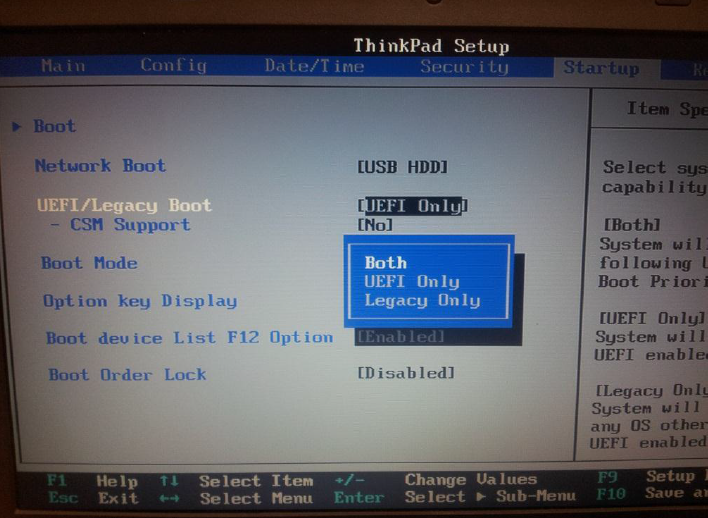
4) Finally, in the Startup window, change “Boot Device List F12 Option“ to Enable .

5) Save the settings you made from the Save tab. Then restart the computer.
After the computer restarts, using the “F12” key, you can start imaging from Quick Boot .



Share your experience
Got a question, a different solution or a note to add?
Log in or join us to write a comment.
Log in ↗︎Sign up ↗︎