
To send data to a platform using the Rest API method in ServiceNow, the Rest Message module can be used. You can see how it is done below.
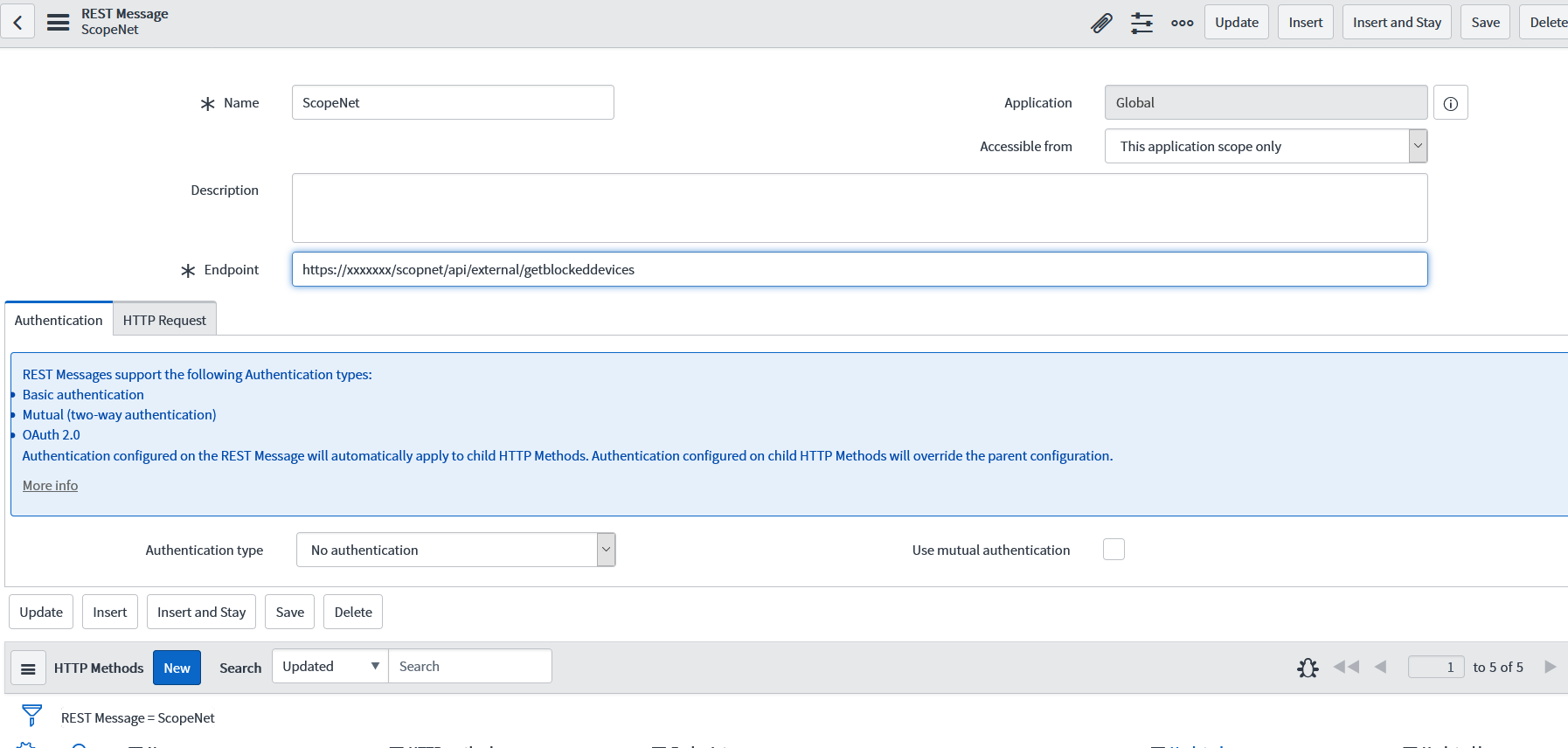
From the navigation screen, “System Web Services -> Outbound -> REST Message”
[su_highlight background=”#f9ff99″]1-Here, a general record is created that will cover all methods.[/su_highlight]
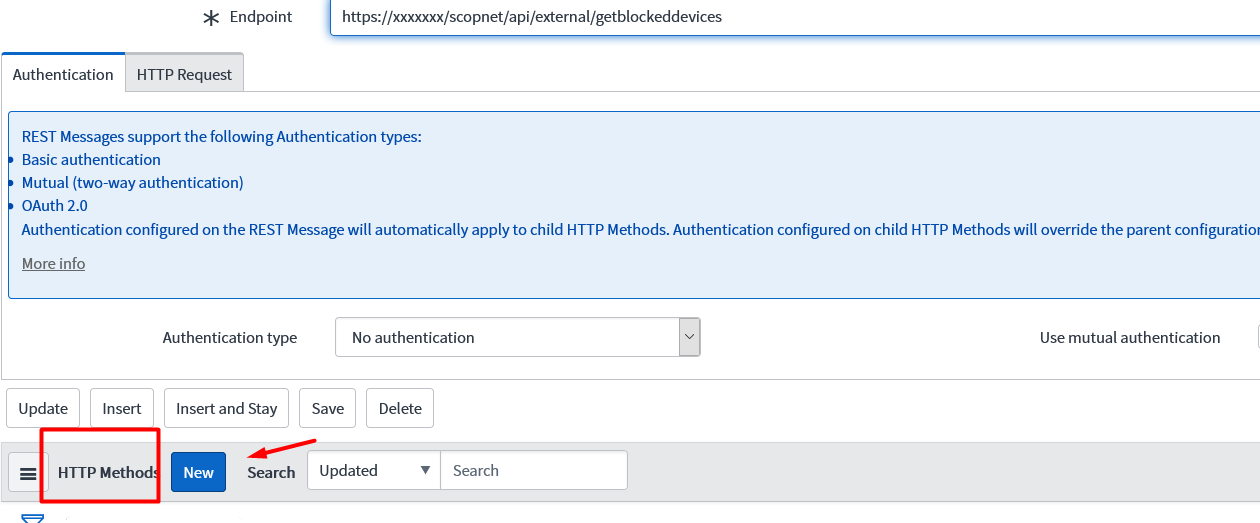
[su_highlight background=”#f9ff99″]2-Then, next to the “HTTP Methods” heading below, the EndPoint information is defined by clicking the “New” button.[/su_highlight]
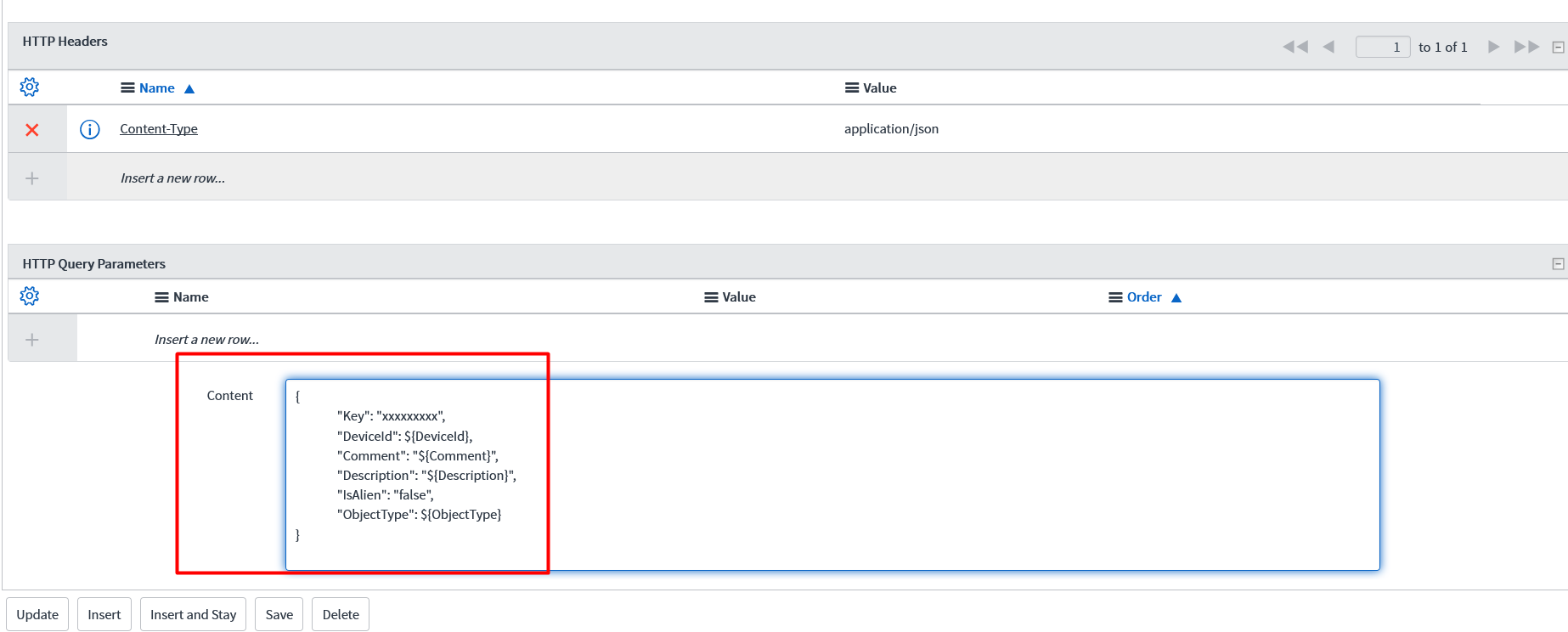
Under the “HTTP Request” tab, in the field found “Http Headers“, the API’s header definitions are made.

If the “Content” field is not on the form, it is added to the form from “Form Layout“, and the variables to be sent with the API are defined here.
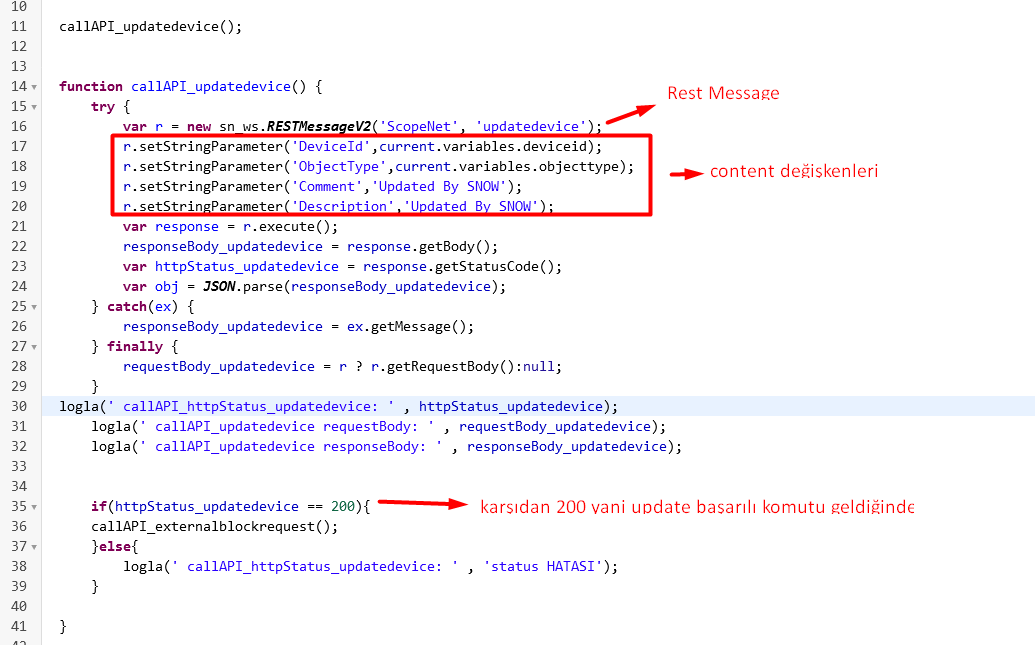
[su_highlight background=”#f9ff99″]3- The script that will call the Rest Message and send the variables is defined. This can be a Business Rule, Scheduled Job, or FIX script.[/su_highlight]

Share your experience
Bir sorunun, farklı bir çözümün veya eklemek istediğin bir notun var mı? Giriş yapmadan da yazabilirsin.