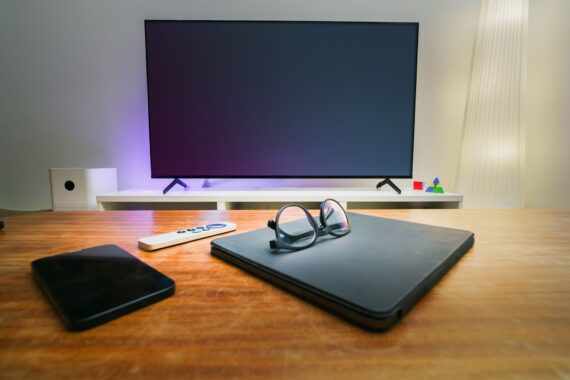
Google opened early access to its Home MCP server, which connects smart home devices to AI agents, on September 16, 2026. The server, which runs over the Model Context Protocol, lets agents monitor devices in the Google Home ecosystem, view event history, and execute control commands. Access is currently being rolled out gradually in the US, in English, and to Google Home Premium Advanced subscribers.
Which agents can connect
According to the announcement published on the Google Home & Nest community blog, any agent that supports MCP tool calling can use this connection. Google cites Google Antigravity, Claude, Hermes, and OpenClaw as examples. Agents can access all devices and event history, from Nest products such as doorbells and thermostats to Works with Google Home or Matter-compatible bulbs. According to Google, this connection gives the agent physical-world context: it becomes possible to summarize home activity, interpret camera footage from different rooms, manage devices on the user’s behalf, and set up smart home dashboards in everyday language.
What early testers did
In examples Google shared, a user asks what the kids did when they got home from school, and the agent produces a summary along with the relevant camera clips. In other scenarios, the device status history is used to track how many loads of laundry were done in a week or how long the lights stayed on, and when an agent finishes a long-running task, a voice message is played through a Google Home speaker.
Google’s MCP servers page groups the functions under four headings: entity enumeration that lists rooms and devices, real-time monitoring that queries live data such as connection status, device control that runs parameterized actions, and historical analysis that queries past states and event logs. Google states that the server is designed in accordance with security and privacy standards and that agents cannot perform sensitive operations on the user’s behalf.
Setup and subscription requirement
Early access requires an active Google Home Premium Advanced subscription. In the Google Store, the Advanced plan is listed at $20 per month or $200 per year, while the Standard plan is $10 per month or $100 per year. The Nest Aware brand has also been consolidated under the Google Home Premium name. According to the user guide, setup requires a Google Home structure with connected devices, a Google Cloud project, and an MCP-supported AI client. The server address is given as home.googleapis.com/mcp, and the authorization scope as home.platform.v2. For familiar face data, there is also a requirement for the structure manager’s explicit consent and a compatible Nest camera.
A second server for developers
Google also announced the Home Developer MCP server for developers. This server feeds Home API references, the Matter specification, and OpenThread and Thread documentation into AI coding tools. It works with Google Antigravity CLI, Antigravity 2.0, and the IDE, as well as Claude Code, Cursor, and GitHub Copilot inside VS Code.
Security boundaries and known issues
Google says it applies rate limits and security safeguards in Home MCP, and that sensitive actions such as unlocking a door lock are prohibited. The company also warns that connecting your home to an agent can lead to unexpected behavior and recommends informing the people you share your home with and creating a separate home for testing. Access can be revoked at any time from the Google Home app. Known issues in the guide include experimental features not working as expected and long delays; support for creating automations is not yet available and will be added in the future.
Source: Unite.AI

Share your experience
Bir sorunun, farklı bir çözümün veya eklemek istediğin bir notun var mı? Giriş yapmadan da yazabilirsin.